
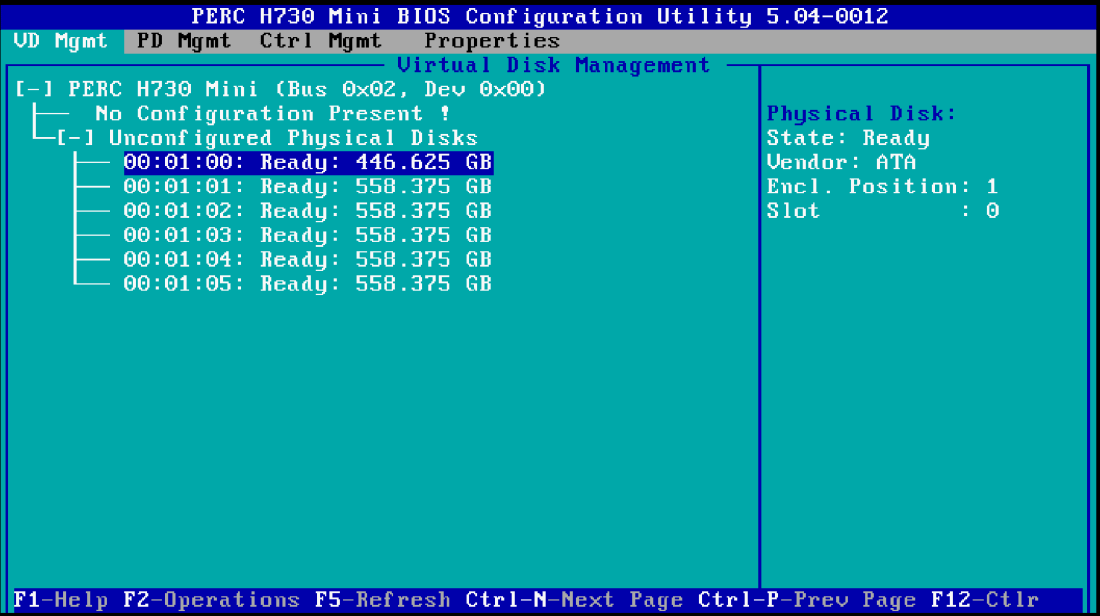
Hey All, just wanted to write up a quick post with pics on how to configure the H730 RAID card for VMware VSAN.
First of all, the H730 is on the HCL and is a great choice due to the ample queue depth of 895 as determined by esxtop.

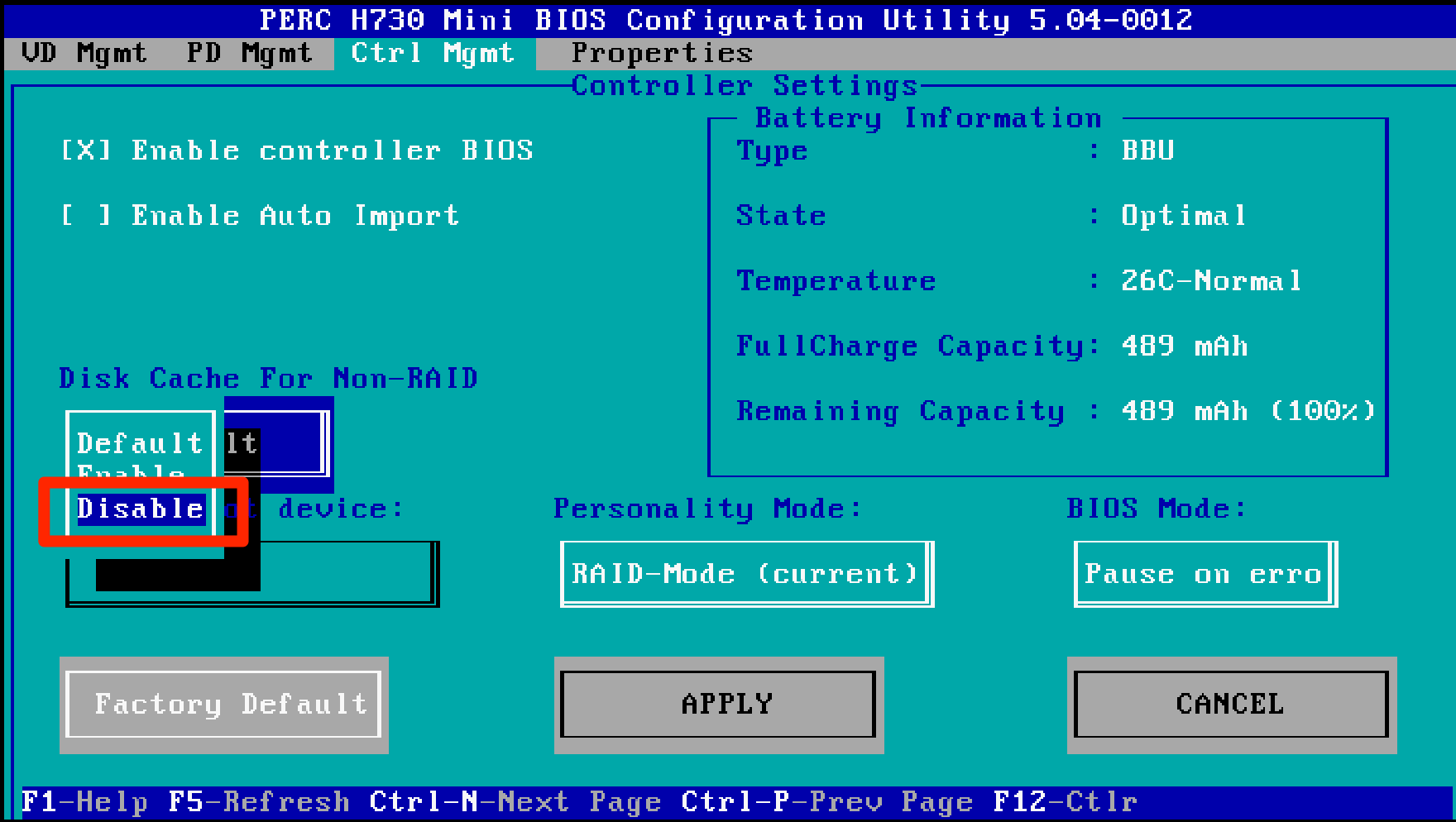
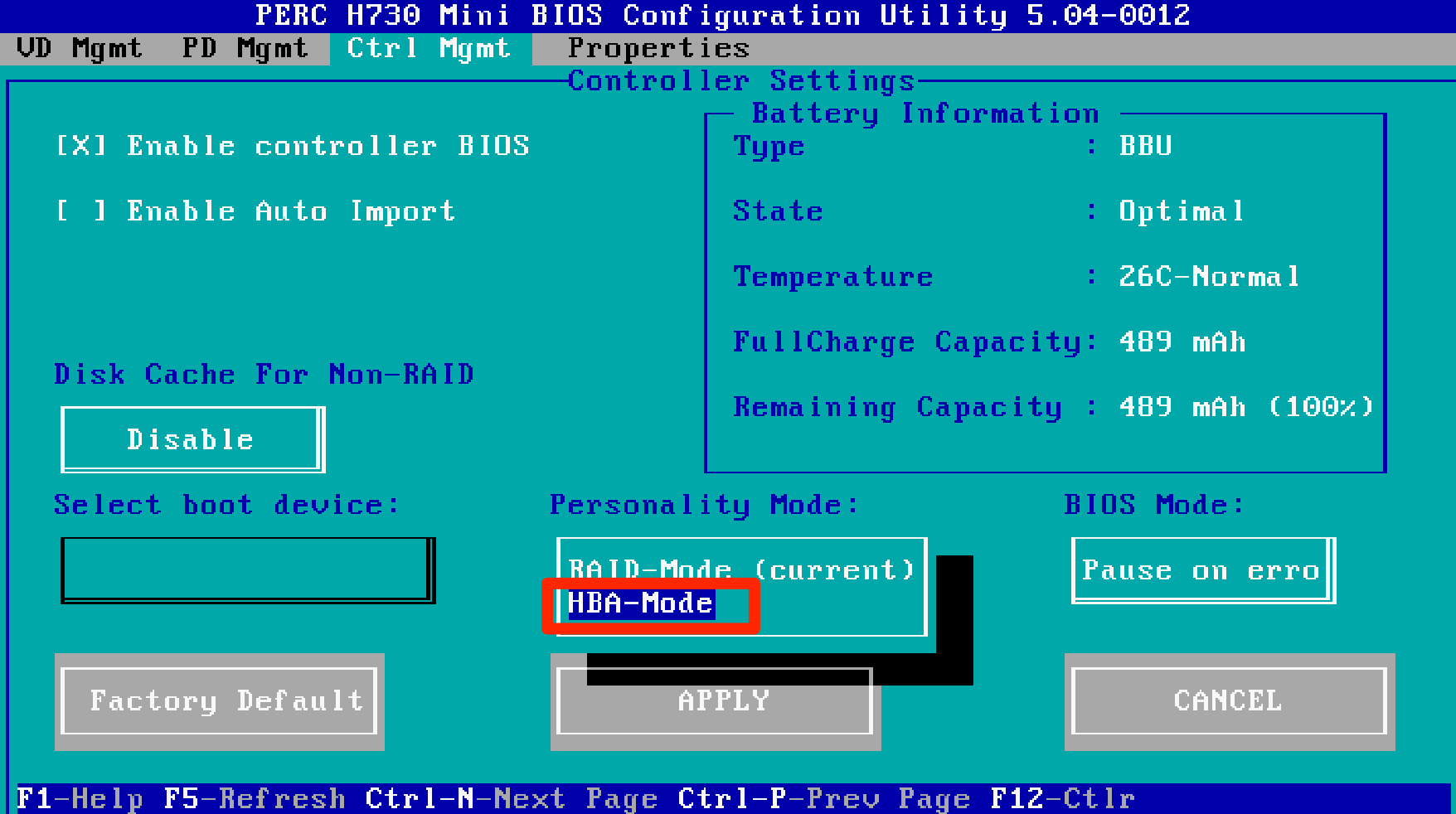
The following was how we configured it per the configuration guide best practices with:
- Passthrough mode
- Controller caching disabled
- BIOS Mode pause on error (rather than stop)
Per the guide:

Just figured this might help some other wayward souls out there. : )


 elgwhoppo's vNotebook
For anyone else preparing before they order, the ideal config would be to purchase with an HBA330 instead of the PERC as it will save you money and present the disks as JBOD to the OS/hyperviser.
The only reason to buy a PERC is if you plan to use some of the disks as a local RAID e.g. for the ESXi install or for the server logs if not redirecting centrally. Or if the server will be repurposed in future and need it.
Good call Chris, all my new configs use the HBA330. Just a workhorse and most certified.