Recoverpoint 4.0 Join Cluster Wizard: Cluster is Not Clean

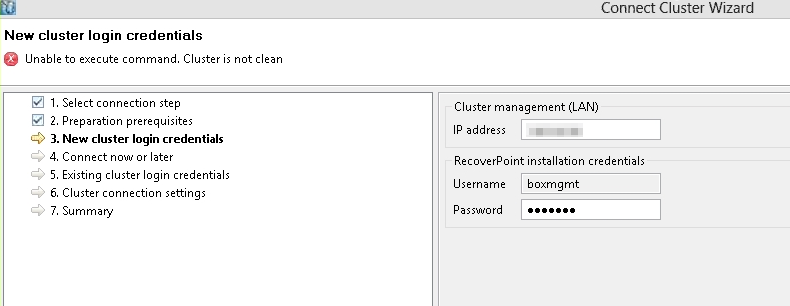
During a Recoverpoint 4.0 P1 setup, we ran into a weird error that didn’t have much description or help online. During the part of the wizard where the clusters are configured and we’re joining them together, the error message we were receiving was:

Unable to execute command. Cluster is not clean

clusternotclean


After working with EMC, it appears that we licensed the RPAs before we should have. To fix the problem we removed the licenses from all RPAs, re-ran the Join Cluster wizard, then added the licenses back in and everything was kosher. Funny that the first thing that pops up when you log into the RPA Web interface is a wizard asking for licenses, methinks a note there would be helpful.


vBrownBag

I recently gave a talk on ProfessionalVMware.com ‘s vBrownBag series. Here’s the vimeo. Try not to listen to the 1000 UMs that I use. I really love the vBrownBag community, there’s nothing like a bunch of geeks to talk tech with. And nothing will make you learn your subject matter more than presenting!

Designing Virtual Connect for vSphere 5.x Joe Clark (@elgwhoppo) ProfessionalVMware #vBrownBag US from ProfessionalVMware on Vimeo.

Combine CRT and KEY Files into a PFX with OpenSSL

Say for example you have a .crt and a .key file which had the private key in it. What if you have to combine the .crt and .key file into a password protected .pfx file so that you can import the certificate and private key onto the servers? That’s what I had to do. I’ve tried to make this entry as no-nonsense as possible, so I put together sample screenshots of what the process looks like.

Example files when starting:

vdi.elgwhoppo.com.crt

vdi.elgwhoppo.com.key

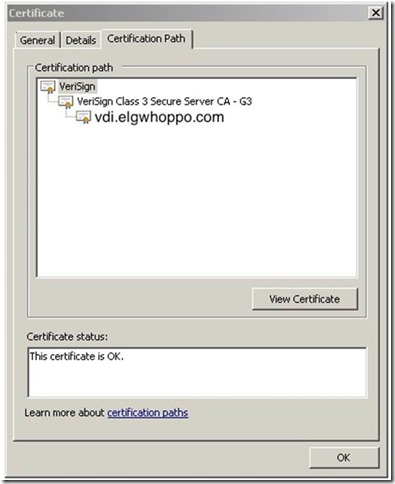
First we need to extract the root CA certificate from the existing .crt file, because we need this later. So open up the .crt and click on the Certification Path tab.
clip_image002

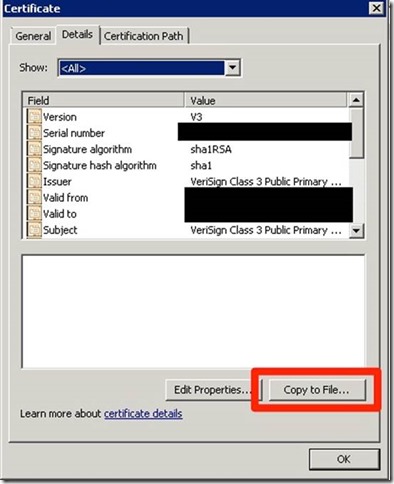
Click the topmost certificate (In this case VeriSign) and hit View Certificate. Select the Details tab and hit Copy to File…
clip_image004

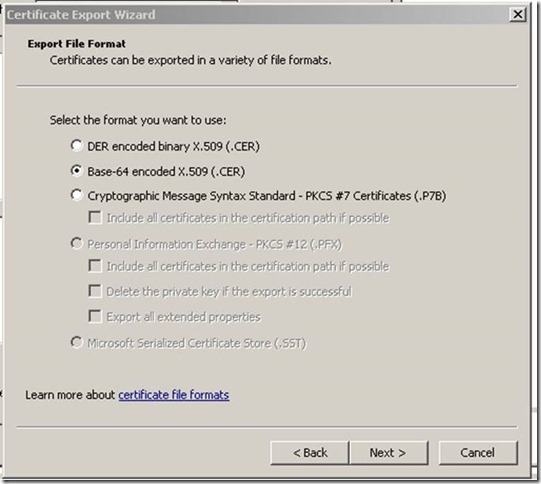
Select Base-64 encoded X.509 (.CER) certificate
clip_image006

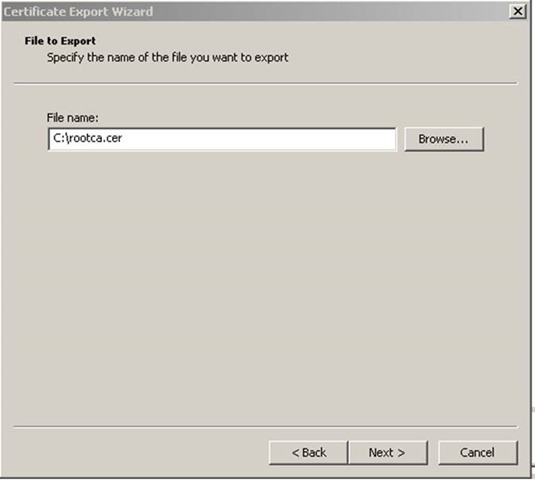
Save it as rootca.cer or something similar. Place it in the same folder as the other files.

clip_image008

Rename it from rootca.cer to rootca.crt

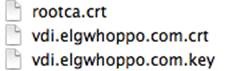
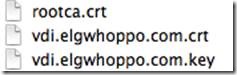
Now we should have 3 files in our folder from which we can create a PFX file.
clip_image010

Here is where we need OpenSSL. We can either download and install it on Windows, or simply open terminal on OSX.

Open terminal on OSX and CD to the directory the files are in. For Windows users, copy and paste the above three files into the default OpenSSL install location on Windows: C:\OpenSSL-Win32\bin. Then open a command prompt and change directories to C:\OpenSSL-Win32\bin. From this point the commands are the same.

We can see the three files.

clip_image012

The command syntax for my example is:

openssl pkcs12 -export -out vdi.elgwhoppo.com.pfx -inkey vdi.elgwhoppo.com.key -in vdi.elgwhoppo.com.crt -certfile rootca.crt

clip_image014

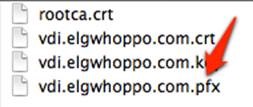
If everything was entered correctly, you should be prompted to create a password for the PFX file. Enter a password and confirm it. When finished you should have a working PFX file to import on your Windows boxes either via the MMC or IIS. You will need the password when importing the pfx.
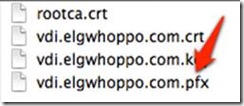
clip_image016

Review of VMware Thinapp 4.7 Essentials by Peter Björk

I  recently purchased and tore through an awesome book by Peter Björk, VMware Thinapp 4.7 Essentials. I got a ton out of this book, especially as part of my background was authoring MSI packages with tools like Wise Package Studio and Orca and tons of VB scripts.

The technical depth and procedural “how to do X” knowledge was awesome, not to mention it’s a book that I’ve referenced quite a bit while actually doing some some complicated Thinapps. It’s a great educational read, and it’s a great reference once you’re done with it. As a consultant, Thinapp is one of those things that I crack open every few months or so, and it always seems that something has changed. I think with the advent of Horizon that we will be seeing a lot more applications deployed through Thinapp. This book will definitely help you get on your way to being a master Thinapp packager and help you teach yourself to fish.

Some of the things I personally got out of this book:

  • Methodologies for sizing the sandbox and troubleshooting problem Thinapps.
  • Understanding isolation modes
  • Tips for capturing and updating packages
  • Deployment methods & planning for your target systems (Including Horizon)
  • A full explanation of important utilities such as sbmerge.exe and thinreg.exe
  • Cautions and strategy for deploying applications on 64-bit OS

Highly recommended, especially the Kindle version for me, because I LOVE being able to use CTRL+F when using it as a reference.